FlexKVM
Flex Your Control, Beyond the Limit
Plug-and-play hardware-level out-of-band management
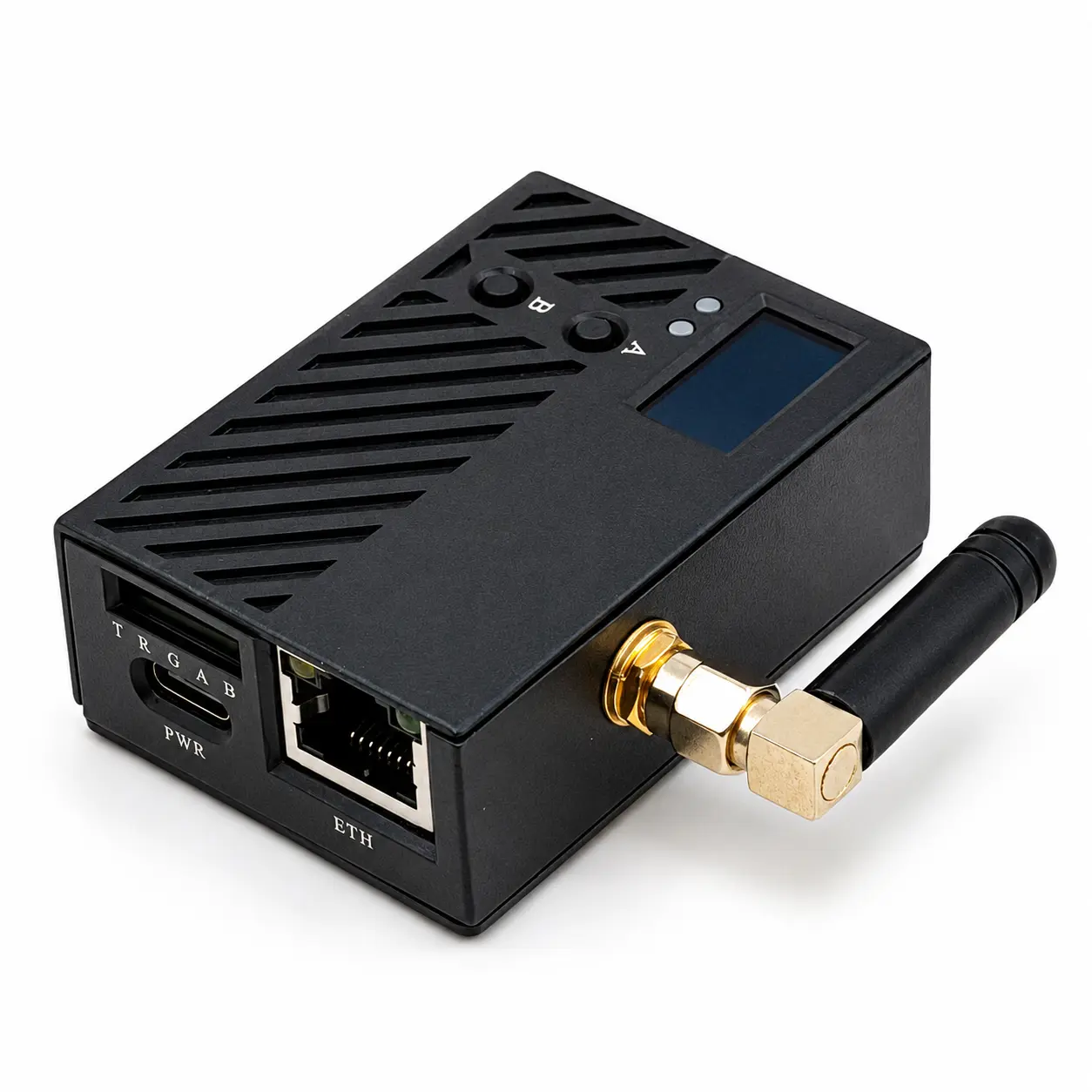
Connect it to your target host's HDMI and USB, and you can view the screen, control keyboard and mouse, toggle power, and mount ISOs via browser or Tailscale network — even when the target system is down, has no GPU drivers, or has no OS installed.
Core Features
Hardware-level remote management — no software dependency, no system limitations
Remote Desktop Control
Pure hardware HDMI signal capture, up to 1920x1200@60Hz. No dependency on OS, GPU drivers, or remote services.
Remote Power Control
ATX control interface for remote power management. Supports normal shutdown, forced restart, and forced power-off.
Virtual Optical Drive
Use a TF card as a virtual optical drive for bidirectional file transfer and remote OS installation.
Mesh Networking
Built-in Tailscale client. No public IP needed, no port forwarding. End-to-end encrypted virtual network, ready out of the box.
Dual-Network Redundancy
Dual-band WiFi 6 + Fast Ethernet, both networks online simultaneously. If one fails, control is never interrupted.
Serial & GPIO
UART serial communication and GPIO control for embedded debugging, industrial automation, and other expansion needs.
Key Specifications
Small size, big capability
Basic
Video & Audio
Network
Interfaces
Use Cases
From enterprise data centers to home labs, FlexKVM has you covered
Enterprise IT / Data Center
After a server crash, view blue screens, enter BIOS, and reinstall systems remotely from your office.
Homelab & Enthusiasts
NAS, soft routers, All-in-One setups without monitors — no more carrying TVs when something goes wrong.
Edge Computing & IoT
Base stations, unmanned micro-data centers, remote sites — maintain from HQ via Tailscale.
Embedded & Industrial Automation
Industrial PCs and PLCs sealed in cabinets — FlexKVM captures HDMI + UART serial for dual-channel debugging.
Technical Support
Having issues? We're here to help
Documentation
Browse the complete FlexKVM documentation, including quick start, user guide, and FAQ.
Visit Docs →